Documentation technique complète Osfria OS-FR-IA Platform
Guide exhaustif pour DevOps et techniciens : Configuration système complète, troubleshooting avancé, APIs développeur et procédures d'exploitation détaillées.
🔧 Version Experts/DevOps
Configuration, troubleshooting et maintenance système
Installation et configuration système
Procédures complètes de déploiement step-by-step
Prérequis système critiques
🔧 Hardware minimum
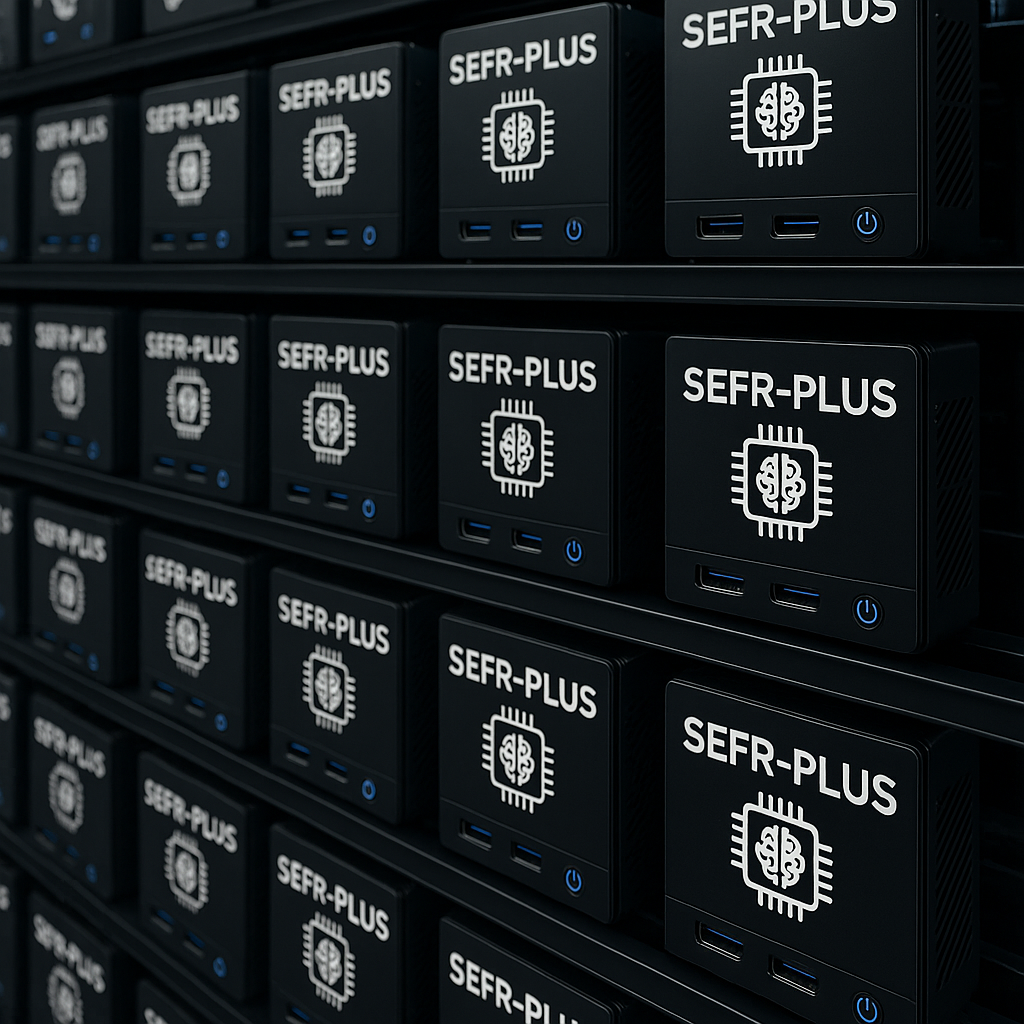
Configuration rack - Environnement datacenter
# SEFR-PLUS Nodes (3x)
CPU: Intel i3-N305 (8 cores @ 3.8GHz)
RAM: 32GB LPDDR5 + 16GB swap
Storage: 1TB NVMe M.2 (min 250K IOPS)
Network: 2x 1GbE + 1x 10GbE SFP+
Power: 65W TDP max

# NVIDIA DGX Spark Nodes (3x)
GPU: NVIDIA Blackwell (1000 TOPS FP4 sparsity)
CPU: 20-core ARM (10x Cortex-X925 + 10x Cortex-A725)
RAM: 128GB LPDDR5x unified memory
Storage: 1-4TB NVMe (self-encryption)
Network: 1x 10GbE + WiFi 7 + ConnectX-7 NIC
Dimensions: 150x150x50.5mm (compact desktop)
Power: ~400W max par unité
🌡️ Infrastructure environnement
# Alimentation
- 3x prises 220V 16A dédiées minimum
- Onduleur 1500VA (autonomie 10min min)
- Protection parafoudre obligatoire
- Consommation totale: ~1200W max (400W × 3 DGX + SEFR-PLUS cluster + marge sécurité)

# Refroidissement
- Température ambiante: 18-24°C
- Humidité relative: 40-60%
- Ventilation standard (format desktop)
- Dissipation thermique optimisée

# Réseau
- Switch 10GbE (8 ports minimum)
- VLAN production isolé
- Plage IP /27 (30 adresses)
- Internet filtré (ports 80,443,22)
⚠️ Points d'attention critique
- • Ventilation inadequate = throttling GPU
- • Alimentation instable = corruption etcd
- • Latence réseau >1.5ms = degraded performance
- • Température >85°C = emergency shutdown
Procédure d'installation automatisée
📋 Étapes bootstrap cluster
# 1. Préparation réseau
sudo systemctl enable --now systemd-networkd
sudo networkctl reload

# 2. Configuration SSH hardening
echo "PermitRootLogin no" >> /etc/ssh/sshd_config
echo "PasswordAuthentication no" >> /etc/ssh/sshd_config
sudo systemctl restart sshd

# 3. Installation k3s master (premier SEFR-PLUS)
curl -sfL https://get.k3s.io | K3S_KUBECONFIG_MODE="644" \
  INSTALL_K3S_EXEC="--cluster-init --disable traefik" sh -

# 4. Récupération token
sudo cat /var/lib/rancher/k3s/server/node-token

# 5. Join autres nœuds SEFR-PLUS
curl -sfL https://get.k3s.io | K3S_KUBECONFIG_MODE="644" \
  K3S_URL="https://MASTER_IP:6443" \
  K3S_TOKEN="NODE_TOKEN" sh -
🤖 Configuration DGX Spark workers
# 1. Installation NVIDIA Container Runtime
distribution=$(. /etc/os-release;echo $ID$VERSION_ID)
curl -s -L https://nvidia.github.io/nvidia-docker/gpgkey | sudo apt-key add -
curl -s -L https://nvidia.github.io/nvidia-docker/$distribution/nvidia-docker.list \
  | sudo tee /etc/apt/sources.list.d/nvidia-docker.list
sudo apt-get update && sudo apt-get install -y nvidia-container-runtime

# 2. Configuration Docker daemon pour DGX Spark
cat > /etc/docker/daemon.json << EOF
{
  "default-runtime": "nvidia",
  "runtimes": {
    "nvidia": {
      "path": "nvidia-container-runtime",
      "runtimeArgs": []
    }
  }
}
EOF

# 3. Join cluster k3s
curl -sfL https://get.k3s.io | K3S_URL="https://MASTER_IP:6443" \
  K3S_TOKEN="NODE_TOKEN" K3S_NODE_NAME="dgx-spark-$(hostname)" sh -
✅ Validation installation
# Vérifier nœuds
kubectl get nodes -o wide

# Vérifier GPU disponibles
kubectl describe node | grep nvidia.com/gpu
Configuration VLAN et sécurité réseau
🔧 Configuration switch managé
# Configuration VLANs sur switch Cisco/HP
vlan 100
  name PROD-CLUSTER
  exit

vlan 101
  name MGMT-OOB
  exit

vlan 102
  name USER-ACCESS
  exit

# Ports trunk vers nœuds
interface range GigabitEthernet1/0/1-6
  switchport mode trunk
  switchport trunk allowed vlan 100,101,102
  spanning-tree portfast trunk
  exit

# Ports accès utilisateurs
interface range GigabitEthernet1/0/7-24
  switchport mode access
  switchport access vlan 102
  spanning-tree portfast
  exit
🛡️ Règles firewall iptables
# Script firewall système
#!/bin/bash

# Flush existing rules
iptables -F
iptables -X
iptables -Z

# Default policies
iptables -P INPUT DROP
iptables -P FORWARD DROP
iptables -P OUTPUT ACCEPT

# Loopback et established
iptables -A INPUT -i lo -j ACCEPT
iptables -A INPUT -m state --state ESTABLISHED,RELATED -j ACCEPT

# SSH depuis MGMT VLAN uniquement
iptables -A INPUT -s 10.101.0.0/24 -p tcp --dport 22 -j ACCEPT

# HTTPS pour interface utilisateur
iptables -A INPUT -s 10.102.0.0/24 -p tcp --dport 443 -j ACCEPT

# Kubernetes cluster communication
iptables -A INPUT -s 10.100.0.0/24 -p tcp --dport 6443 -j ACCEPT
iptables -A INPUT -s 10.100.0.0/24 -p tcp --dport 2379:2380 -j ACCEPT

# Rate limiting SSH brute force
iptables -A INPUT -p tcp --dport 22 -m state --state NEW \
  -m recent --set --name ssh --rsource
iptables -A INPUT -p tcp --dport 22 -m state --state NEW \
  -m recent --update --seconds 60 --hitcount 4 \
  --name ssh --rsource -j DROP
Configuration services Kubernetes
Manifests YAML et configurations détaillées
Longhorn - Stockage distribué
📦 Installation Longhorn
# Installation via Helm
helm repo add longhorn https://charts.longhorn.io
helm repo update
helm install longhorn longhorn/longhorn \
  --namespace longhorn-system \
  --create-namespace \
  --set defaultSettings.defaultDataPath="/opt/longhorn" \
  --set defaultSettings.replicaReplenishmentWaitInterval=300 \
  --set defaultSettings.concurrentReplicaRebuildPerNodeLimit=2

# Vérification installation
kubectl -n longhorn-system get pods
kubectl -n longhorn-system get storageclass
⚙️ Configuration StorageClass
apiVersion: storage.k8s.io/v1
kind: StorageClass
metadata:
  name: longhorn-fast
provisioner: driver.longhorn.io
allowVolumeExpansion: true
reclaimPolicy: Retain
parameters:
  numberOfReplicas: "3"
  staleReplicaTimeout: "300"
  fromBackup: ""
  diskSelector: "ssd"
  nodeSelector: "storage-node"
  recurringJobSelector: '
    [
      {
        "name":"backup",
        "isGroup":false
      }
    ]'
🔧 Commandes maintenance
# Backup volume
kubectl apply -f - << EOF
apiVersion: longhorn.io/v1beta1
kind: Backup
metadata:
  name: backup-$(date +%Y%m%d-%H%M%S)
  namespace: longhorn-system
spec:
  volumeName: pvc-volume-name
EOF

# Restore volume
longhornctl backup restore backup-name volume-name
vLLM - Moteur d'inférence IA
🚀 Deployment vLLM
apiVersion: apps/v1
kind: Deployment
metadata:
  name: vllm-server
  namespace: osfria-ai
spec:
  replicas: 3
  selector:
    matchLabels:
      app: vllm-server
  template:
    metadata:
      labels:
        app: vllm-server
    spec:
      nodeSelector:
        nvidia.com/gpu: "true"
      containers:
      - name: vllm
        image: vllm/vllm-openai:latest
        args:
        - --model
        - /models/deepseek-r2-78b-int4
        - --tensor-parallel-size
        - "1"
        - --dtype
        - half
        - --max-model-len
        - "4096"
        - --gpu-memory-utilization
        - "0.85"
        - --host
        - "0.0.0.0"
        - --port
        - "8000"
        resources:
          requests:
            nvidia.com/gpu: 1
            memory: "16Gi"
            cpu: "4"
          limits:
            nvidia.com/gpu: 1
            memory: "32Gi"
            cpu: "8"
        volumeMounts:
        - name: model-storage
          mountPath: /models
          readOnly: true
        env:
        - name: CUDA_VISIBLE_DEVICES
          value: "0"
      volumes:
      - name: model-storage
        persistentVolumeClaim:
          claimName: model-storage-pvc
🔄 Service et HPA
---
apiVersion: v1
kind: Service
metadata:
  name: vllm-service
  namespace: osfria-ai
spec:
  selector:
    app: vllm-server
  ports:
  - port: 8000
    targetPort: 8000
    protocol: TCP
  type: ClusterIP

---
apiVersion: autoscaling/v2
kind: HorizontalPodAutoscaler
metadata:
  name: vllm-hpa
  namespace: osfria-ai
spec:
  scaleTargetRef:
    apiVersion: apps/v1
    kind: Deployment
    name: vllm-server
  minReplicas: 1
  maxReplicas: 6
  metrics:
  - type: Resource
    resource:
      name: cpu
      target:
        type: Utilization
        averageUtilization: 70
  - type: Resource
    resource:
      name: memory
      target:
        type: Utilization
        averageUtilization: 80
📊 Monitoring vLLM
# Metrics endpoint
curl http://vllm-service:8000/metrics

# Health check
curl http://vllm-service:8000/health

# Model info
curl http://vllm-service:8000/v1/models
Troubleshooting avancé et maintenance
Diagnostic et résolution des incidents critiques
Diagnostic cluster K8s
🚨 Incidents fréquents
# Diagnostic
kubectl get nodes -o wide
kubectl describe node NODE_NAME

# Vérifier kubelet
sudo systemctl status k3s
sudo journalctl -u k3s -f

# Causes communes :
# 1. Disque plein
df -h
# 2. OOM kubelet
dmesg | grep -i "killed process"
# 3. Réseau
ping MASTER_IP
ss -tulpn | grep 6443

# Solutions
sudo systemctl restart k3s
sudo k3s-killall.sh && sudo systemctl start k3s# Diagnostic détaillé
kubectl describe pod POD_NAME -n osfria-ai
kubectl logs POD_NAME -n osfria-ai --previous
kubectl get events -n osfria-ai --sort-by='.lastTimestamp'
# Vérifier GPU
kubectl exec -it POD_NAME -n osfria-ai -- nvidia-smi
kubectl get nodes -o json | jq '.items[].status.capacity."nvidia.com/gpu"'
# Causes communes :
# 1. Mémoire GPU insuffisante
kubectl top pods -n osfria-ai --containers
# 2. Modèle corrompu
kubectl exec -it POD_NAME -n osfria-ai -- ls -la /models/
# 3. TensorRT compilation failed
kubectl logs POD_NAME -n osfria-ai | grep -i "tensorrt"
# Solutions
kubectl delete pod POD_NAME -n osfria-ai # Force restart
kubectl scale deployment vllm-server --replicas=0 -n osfria-ai
kubectl scale deployment vllm-server --replicas=1 -n osfria-ai# Diagnostic stockage
kubectl get volumes -n longhorn-system
kubectl get replicas -n longhorn-system
kubectl describe volume VOLUME_NAME -n longhorn-system
# Vérifier santé disques
smartctl -a /dev/nvme0n1
iostat -x 1 5
# Interface Longhorn
kubectl port-forward -n longhorn-system svc/longhorn-frontend 8080:80
# Accès : http://localhost:8080
# Causes communes :
# 1. Disk SMART errors
smartctl -H /dev/nvme0n1
# 2. Replica degraded
kubectl get replicas -n longhorn-system | grep Degraded
# 3. Network partition
ping OTHER_NODES_IP
# Solutions
kubectl patch volume VOLUME_NAME -n longhorn-system \
--type='merge' -p='{"spec":{"numberOfReplicas":2}}'
# Rebuild replica
kubectl annotate replica REPLICA_NAME -n longhorn-system \
longhorn.io/replica-auto-balance=enabled🆘 Escalation procédure
- Niveau 1 : Redémarrage service (5 min)
- Niveau 2 : Redémarrage nœud (10 min)
- Niveau 3 : Basculement cluster (20 min)
- Niveau 4 : Restore backup (60 min)
Scripts d'automatisation
⚡ Scripts de maintenance
#!/bin/bash
# health-check.sh - Vérification santé complète

echo "=== Osfria Health Check $(date) ==="

# 1. Cluster K8s
echo "🔍 Kubernetes cluster:"
kubectl get nodes --no-headers | grep -v Ready | wc -l
kubectl get pods -A --field-selector=status.phase!=Running | grep -v Completed | wc -l

# 2. Services critiques
echo "🔍 Services critiques:"
kubectl get pods -n osfria-ai -l app=vllm-server --no-headers | grep -v Running | wc -l
kubectl get pods -n longhorn-system --no-headers | grep -v Running | wc -l

# 3. Performance GPU
echo "🔍 GPU utilisation:"
kubectl exec -n osfria-ai $(kubectl get pods -n osfria-ai -l app=vllm-server -o name | head -1) -- \
  nvidia-smi --query-gpu=utilization.gpu,memory.used,memory.total --format=csv,noheader,nounits

# 4. Stockage
echo "🔍 Stockage utilisé:"
kubectl exec -n longhorn-system $(kubectl get pods -n longhorn-system -l app=longhorn-manager -o name | head -1) -- \
  longhornctl get volume | grep -v "100%" | wc -l

# 5. Métriques réseau
echo "🔍 Latence inter-nœuds:"
kubectl get nodes -o wide | tail -n +2 | while read node; do
  ip=$(echo $node | awk '{print $6}')
  ping -c 3 $ip | tail -1 | awk '{print $4}' | cut -d'/' -f2
done

echo "=== Health Check Complete ==="
🔄 Script backup automatisé
#!/bin/bash
# backup-osfria.sh - Backup complet automatisé

BACKUP_DATE=$(date +%Y%m%d-%H%M%S)
BACKUP_DIR="/backup/osfria-$BACKUP_DATE"

echo "🔄 Début backup Osfria - $BACKUP_DATE"

# 1. Backup etcd (K8s state)
mkdir -p $BACKUP_DIR/etcd
ETCDCTL_API=3 etcdctl snapshot save $BACKUP_DIR/etcd/snapshot.db \
  --endpoints=https://127.0.0.1:2379 \
  --cacert=/var/lib/rancher/k3s/server/tls/etcd/server-ca.crt \
  --cert=/var/lib/rancher/k3s/server/tls/etcd/server-client.crt \
  --key=/var/lib/rancher/k3s/server/tls/etcd/server-client.key

# 2. Backup Longhorn volumes
mkdir -p $BACKUP_DIR/volumes
kubectl get pv -o json > $BACKUP_DIR/volumes/persistent-volumes.json

# 3. Backup configurations
mkdir -p $BACKUP_DIR/config
kubectl get configmaps -A -o yaml > $BACKUP_DIR/config/configmaps.yaml
kubectl get secrets -A -o yaml > $BACKUP_DIR/config/secrets.yaml

# 4. Backup modèles IA
mkdir -p $BACKUP_DIR/models
rsync -av /opt/models/ $BACKUP_DIR/models/

# 5. Compression et stockage
tar -czf $BACKUP_DIR.tar.gz -C /backup osfria-$BACKUP_DATE
rm -rf $BACKUP_DIR

# 6. Rétention (garder 30 jours)
find /backup -name "osfria-*.tar.gz" -mtime +30 -delete

echo "✅ Backup terminé: $BACKUP_DIR.tar.gz"
⏰ Planification cron
# crontab -e
# Backup quotidien 2h du matin
0 2 * * * /opt/scripts/backup-osfria.sh >> /var/log/backup.log 2>&1

# Health check toutes les 5 minutes
*/5 * * * * /opt/scripts/health-check.sh >> /var/log/health.log 2>&1

# Nettoyage logs hebdomadaire
0 3 * * 0 find /var/log -name "*.log" -mtime +7 -delete
Monitoring avancé Prometheus/Grafana
Configuration complète métriques et alerting
Configuration Prometheus avancée
📊 Fichier prometheus.yml
global:
  scrape_interval: 15s
  evaluation_interval: 15s
  external_labels:
    cluster: 'osfria-edge'
    environment: 'production'

rule_files:
  - "/etc/prometheus/rules/*.yml"

alerting:
  alertmanagers:
    - static_configs:
        - targets:
          - alertmanager:9093

scrape_configs:
  # Kubernetes API server
  - job_name: 'kubernetes-apiservers'
    kubernetes_sd_configs:
    - role: endpoints
    scheme: https
    tls_config:
      ca_file: /var/run/secrets/kubernetes.io/serviceaccount/ca.crt
      insecure_skip_verify: true
    bearer_token_file: /var/run/secrets/kubernetes.io/serviceaccount/token
    relabel_configs:
    - source_labels: [__meta_kubernetes_namespace, __meta_kubernetes_service_name, __meta_kubernetes_endpoint_port_name]
      action: keep
      regex: default;kubernetes;https

  # Node Exporter (métriques système)
  - job_name: 'node-exporter'
    kubernetes_sd_configs:
    - role: pod
    relabel_configs:
    - source_labels: [__meta_kubernetes_pod_label_app]
      action: keep
      regex: node-exporter
    - source_labels: [__address__]
      regex: '(.*):.*'
      target_label: __address__
      replacement: '${1}:9100'

  # GPU Exporter (métriques NVIDIA)
  - job_name: 'gpu-exporter'
    kubernetes_sd_configs:
    - role: pod
    relabel_configs:
    - source_labels: [__meta_kubernetes_pod_label_app]
      action: keep
      regex: gpu-exporter
    - source_labels: [__address__]
      regex: '(.*):.*'
      target_label: __address__
      replacement: '${1}:9445'

  # vLLM metrics
  - job_name: 'vllm-server'
    kubernetes_sd_configs:
    - role: pod
    relabel_configs:
    - source_labels: [__meta_kubernetes_pod_label_app]
      action: keep
      regex: vllm-server
    - source_labels: [__address__]
      regex: '(.*):.*'
      target_label: __address__
      replacement: '${1}:8000'
    metrics_path: /metrics

  # Longhorn metrics
  - job_name: 'longhorn'
    kubernetes_sd_configs:
    - role: pod
    relabel_configs:
    - source_labels: [__meta_kubernetes_pod_label_app]
      action: keep
      regex: longhorn-manager
    - source_labels: [__address__]
      regex: '(.*):.*'
      target_label: __address__
      replacement: '${1}:9500'
🚨 Règles d'alerting critiques
# /etc/prometheus/rules/osfria-alerts.yml
groups:
- name: osfria.critical
  rules:
  # Nœud cluster down
  - alert: NodeDown
    expr: up{job="kubernetes-nodes"} == 0
    for: 1m
    labels:
      severity: critical
    annotations:
      summary: "Nœud Kubernetes indisponible"
      description: "Le nœud {{ $labels.instance }} est DOWN depuis 1 minute"

  # GPU overheating
  - alert: GPUOverheating
    expr: nvidia_gpu_temperature_celsius > 85
    for: 2m
    labels:
      severity: critical
    annotations:
      summary: "GPU surchauffe critique"
      description: "GPU {{ $labels.uuid }} température: {{ $value }}°C"

  # vLLM service down
  - alert: VLLMServiceDown
    expr: up{job="vllm-server"} == 0
    for: 30s
    labels:
      severity: critical
    annotations:
      summary: "Service vLLM indisponible"
      description: "Instance vLLM {{ $labels.instance }} DOWN"

  # Longhorn volume degraded
  - alert: LonghornVolumeDegraded
    expr: longhorn_volume_robustness < 2
    for: 5m
    labels:
      severity: warning
    annotations:
      summary: "Volume Longhorn dégradé"
      description: "Volume {{ $labels.volume }} robustness: {{ $value }}"

  # Latence IA élevée
  - alert: HighAILatency
    expr: vllm_request_duration_seconds{quantile="0.95"} > 0.5
    for: 3m
    labels:
      severity: warning
    annotations:
      summary: "Latence IA dégradée"
      description: "P95 latency: {{ $value }}s > 500ms"
Dashboards experts
📈 Dashboard GPU détaillé
Métriques GPU par nœud:
- • GPU utilisation (0-100%)
- • Memory usage (MB/total)
- • Temperature (°C)
- • Power draw (W)
- • SM clock (MHz)
- • Memory clock (MHz)
- • Processes count
🤖 Dashboard vLLM performance
Métriques inférence:
- • Requests/sec par modèle
- • Latence P50/P95/P99
- • Queue depth temps réel
- • Tokens/sec generated
- • Batch size moyen
- • Cache hit ratio
- • Error rate (%)
💾 Dashboard Longhorn avancé
Métriques stockage:
- • IOPS lecture/écriture
- • Throughput MB/s
- • Latency moyenne I/O
- • Volume usage (%)
- • Replica health status
- • Backup progression
- • Network bandwidth
📋 PromQL queries utiles
# Top GPU par utilisation
topk(5, nvidia_gpu_utilization_percent)

# Latence P95 vLLM
histogram_quantile(0.95,
  vllm_request_duration_seconds_bucket)

# IOPS Longhorn par volume
rate(longhorn_volume_read_iops[5m])
APIs développeur et intégrations avancées
Documentation complète APIs REST et webhooks
API vLLM OpenAI Compatible
🔑 Authentification et endpoints
# Base URL
https://osfria.entreprise.local/api/v1

# Headers requis
Authorization: Bearer YOUR_API_TOKEN
Content-Type: application/json

# Endpoints principaux
GET    /v1/models                    # Liste modèles
POST   /v1/chat/completions          # Chat completion
POST   /v1/completions               # Text completion
GET    /v1/models/{model_id}         # Info modèle
GET    /health                       # Health check
GET    /metrics                      # Métriques Prometheus
💬 Exemple chat completion
curl -X POST "https://osfria.entreprise.local/api/v1/chat/completions" \
  -H "Authorization: Bearer sk-osfria-..." \
  -H "Content-Type: application/json" \
  -d '{
    "model": "deepseek-r2-78b-int4",
    "messages": [
      {
        "role": "system",
        "content": "Tu es un assistant IA français spécialisé en entreprise."
      },
      {
        "role": "user",
        "content": "Explique-moi la blockchain en 100 mots"
      }
    ],
    "max_tokens": 150,
    "temperature": 0.7,
    "stream": false
  }'

# Réponse
{
  "id": "chatcmpl-abc123",
  "object": "chat.completion",
  "created": 1699234567,
  "model": "deepseek-r2-78b-int4",
  "choices": [
    {
      "index": 0,
      "message": {
        "role": "assistant",
        "content": "La blockchain est une technologie..."
      },
      "finish_reason": "stop"
    }
  ],
  "usage": {
    "prompt_tokens": 45,
    "completion_tokens": 87,
    "total_tokens": 132
  }
}
⚡ Paramètres avancés
stream: true- Réponse en streaminglogprobs: 5- Log probabilitiesecho: true- Echo du promptbest_of: 3- Génération multiplerepetition_penalty: 1.1- Anti-répétition
API RAG+ et gestion documents
📄 Upload et indexation documents
# Upload document
curl -X POST "https://osfria.entreprise.local/api/v1/documents" \
  -H "Authorization: Bearer sk-osfria-..." \
  -F "[email protected]" \
  -F "collection=knowledge-base" \
  -F "metadata={\"department\":\"finance\",\"confidential\":true}"

# Réponse
{
  "document_id": "doc_abc123",
  "filename": "document.pdf",
  "status": "processing",
  "chunks_count": 0,
  "upload_time": "2024-12-03T15:30:00Z"
}

# Vérifier statut indexation
curl "https://osfria.entreprise.local/api/v1/documents/doc_abc123" \
  -H "Authorization: Bearer sk-osfria-..."

# Réponse après traitement
{
  "document_id": "doc_abc123",
  "filename": "document.pdf",
  "status": "indexed",
  "chunks_count": 47,
  "collection": "knowledge-base",
  "metadata": {
    "department": "finance",
    "confidential": true,
    "pages": 12,
    "file_size": 2048576
  }
}
🔍 Recherche RAG+ contextuelle
# Recherche dans documents
curl -X POST "https://osfria.entreprise.local/api/v1/search" \
  -H "Authorization: Bearer sk-osfria-..." \
  -H "Content-Type: application/json" \
  -d '{
    "query": "procédure remboursement frais",
    "collection": "knowledge-base",
    "filters": {
      "department": "finance",
      "confidential": true
    },
    "top_k": 5,
    "score_threshold": 0.7
  }'

# Réponse
{
  "results": [
    {
      "document_id": "doc_abc123",
      "chunk_id": "chunk_456",
      "content": "La procédure de remboursement...",
      "score": 0.89,
      "metadata": {
        "page": 3,
        "section": "Procédures financières"
      }
    }
  ],
  "total_results": 3,
  "search_time_ms": 45
}
🔒 Sécurité et permissions
- • RBAC : Permissions par collection/département
- • Filtrage : Documents selon droits utilisateur
- • Audit : Log toutes requêtes RAG+
- • Chiffrement : Documents sensibles AES-256
Webhooks et intégrations temps réel
🔔 Configuration webhooks
# Créer webhook
curl -X POST "https://osfria.entreprise.local/api/v1/webhooks" \
  -H "Authorization: Bearer sk-osfria-..." \
  -H "Content-Type: application/json" \
  -d '{
    "url": "https://mon-app.entreprise.local/webhook",
    "events": [
      "document.indexed",
      "model.loaded",
      "alert.triggered",
      "usage.threshold"
    ],
    "secret": "webhook_secret_123",
    "active": true
  }'

# Payload webhook document.indexed
{
  "event": "document.indexed",
  "timestamp": "2024-12-03T15:30:00Z",
  "data": {
    "document_id": "doc_abc123",
    "filename": "rapport.pdf",
    "collection": "reports",
    "chunks_count": 24,
    "processing_time_ms": 15642
  },
  "signature": "sha256=abc123..."
}
🔌 SDK et librairies
# Python SDK
pip install osfria-python

from osfria import OsfriaClient

client = OsfriaClient(
    api_key="sk-osfria-...",
    base_url="https://osfria.entreprise.local"
)

# Chat completion
response = client.chat.completions.create(
    model="deepseek-r2-78b-int4",
    messages=[
        {"role": "system", "content": "Tu es un assistant IA français spécialisé en entreprise."},
        {"role": "user", "content": "Bonjour"}
    ]
)

# Upload document avec RAG+
document = client.documents.upload(
    file="rapport.pdf",
    collection="knowledge-base"
)

# JavaScript/TypeScript SDK
npm install @osfria/sdk

import { OsfriaClient } from '@osfria/sdk';

const client = new OsfriaClient({
    apiKey: 'sk-osfria-...',
    baseURL: 'https://osfria.entreprise.local'
});

const completion = await client.chat.completions.create({
    model: 'deepseek-r2-78b-int4',
    messages: [{ role: 'user', content: 'Bonjour' }]
});
Récapitulatif technique et ressources
Checklist complète pour DevOps et ressources additionnelles
Checklist technique de déploiement
✅ Phase 1 : Infrastructure
✅ Phase 2 : Cluster K8s
✅ Phase 3 : Services
✅ Phase 4 : Tests & Monitoring
Durée estimée de déploiement
Total : 7-13 heures selon l'expérience DevOps et la complexité infrastructure
Ressources expertes
📚 Documentation technique
🔧 Outils et utilitaires
🎓 Formation technique
🆘 Support technique 24/7
- Slack : #osfria-support
- Email : [email protected]
- Hotline : +33 1 XX XX XX XX
- Escalation : Support L3 sous 2h
Métriques de performance attendues post-déploiement
< 310ms
Latence P95 IA600+
Tokens/sec99.95%
Uptime cluster50+
Users concurrent< 30s
Recovery time2M
Tokens/jourOptimisations performance recommandées
- • Quantization FP16 activée
- • TensorRT compilation auto
- • Model caching intelligent
- • SSD NVMe Gen4 recommandé
- • Réplication 3x minimum
- • Compression activée
- • 10GbE backbone obligatoire
- • Latence inter-nœuds < 1ms
- • Load balancing optimal
🚀 Prêt pour le déploiement expert ?
Vous disposez maintenant de toute la documentation technique pour déployer et maintenir Osfria en production. Notre équipe DevOps reste disponible pour vous accompagner.
📋 Inclus dans le support expert
Documentation technique niveau expert • Support DevOps spécialisé • Intégration garantie en production